Jira has become an indispensable tool for project management, offering a wide array of features to help teams track and manage their work efficiently. One of the key components of Jira is the Control Chart, which provides a visual representation of the team’s workflow, helping to identify trends, bottlenecks, and areas for improvement. The Control Chart is particularly useful for teams that follow agile methodologies, as it enables them to monitor their progress and make data-driven decisions.
At the heart of the Jira Control Chart is the concept of time counting. Understanding how time is counted is crucial for interpreting the chart correctly and making the most out of the insights it provides. Essentially, the Control Chart plots the cycle time of issues over a given period, offering a clear view of how long issues take to move through different stages of the workflow. This information is invaluable for teams looking to optimize their workflow, reduce cycle times, and enhance overall productivity.
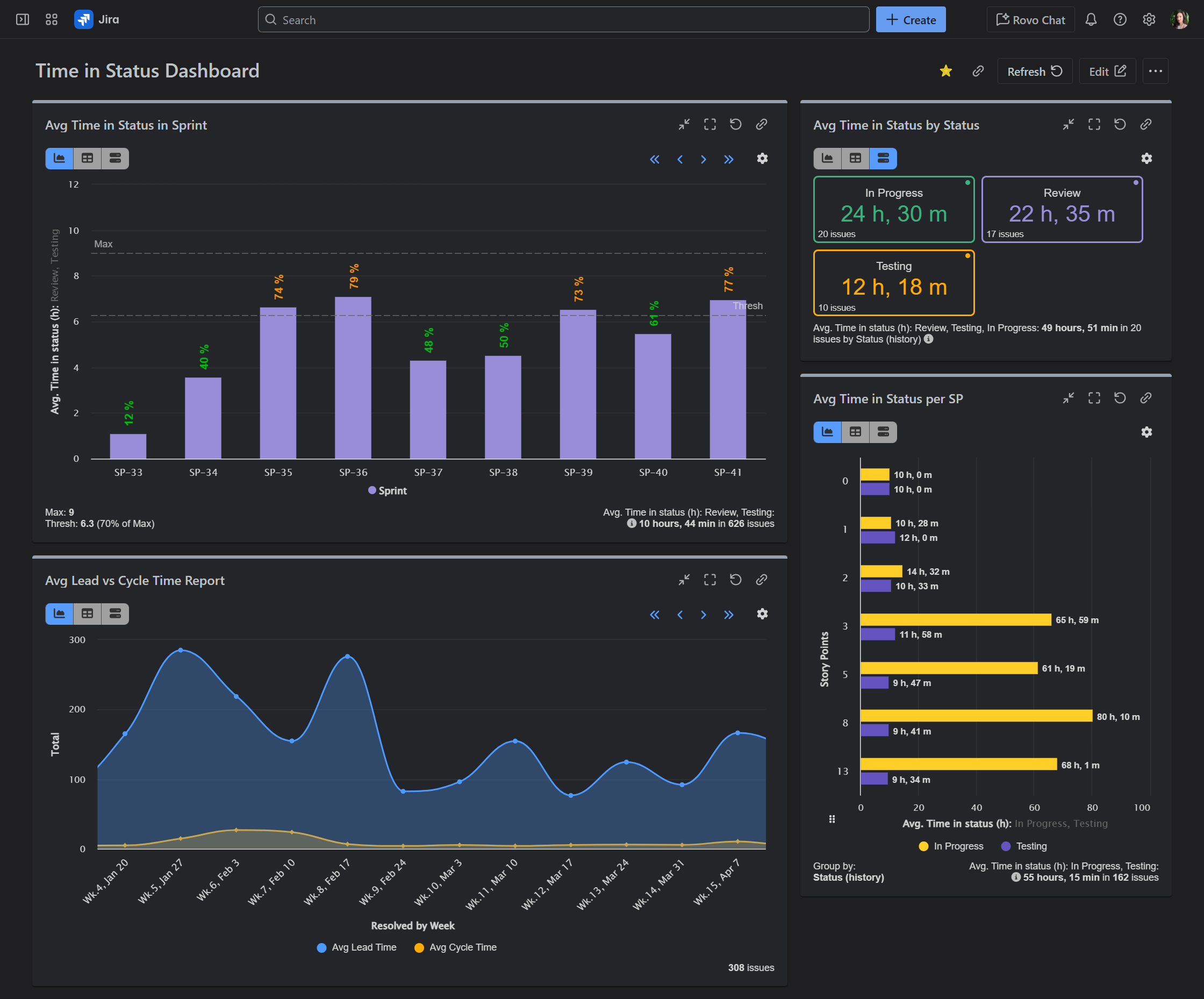
Jira Time In Status Reports With Performance Objectives App
What is a Jira Control Chart?
A Jira Control Chart is a statistical process control tool designed to help teams monitor and control their workflow. It operates under the premise that any process will have natural variations, but significant deviations from the norm can indicate problems that need addressing. By analyzing the chart, teams can distinguish between common cause variation (normal fluctuations) and special cause variation (indicative of a problem), allowing for targeted interventions to stabilize the process and improve efficiency.
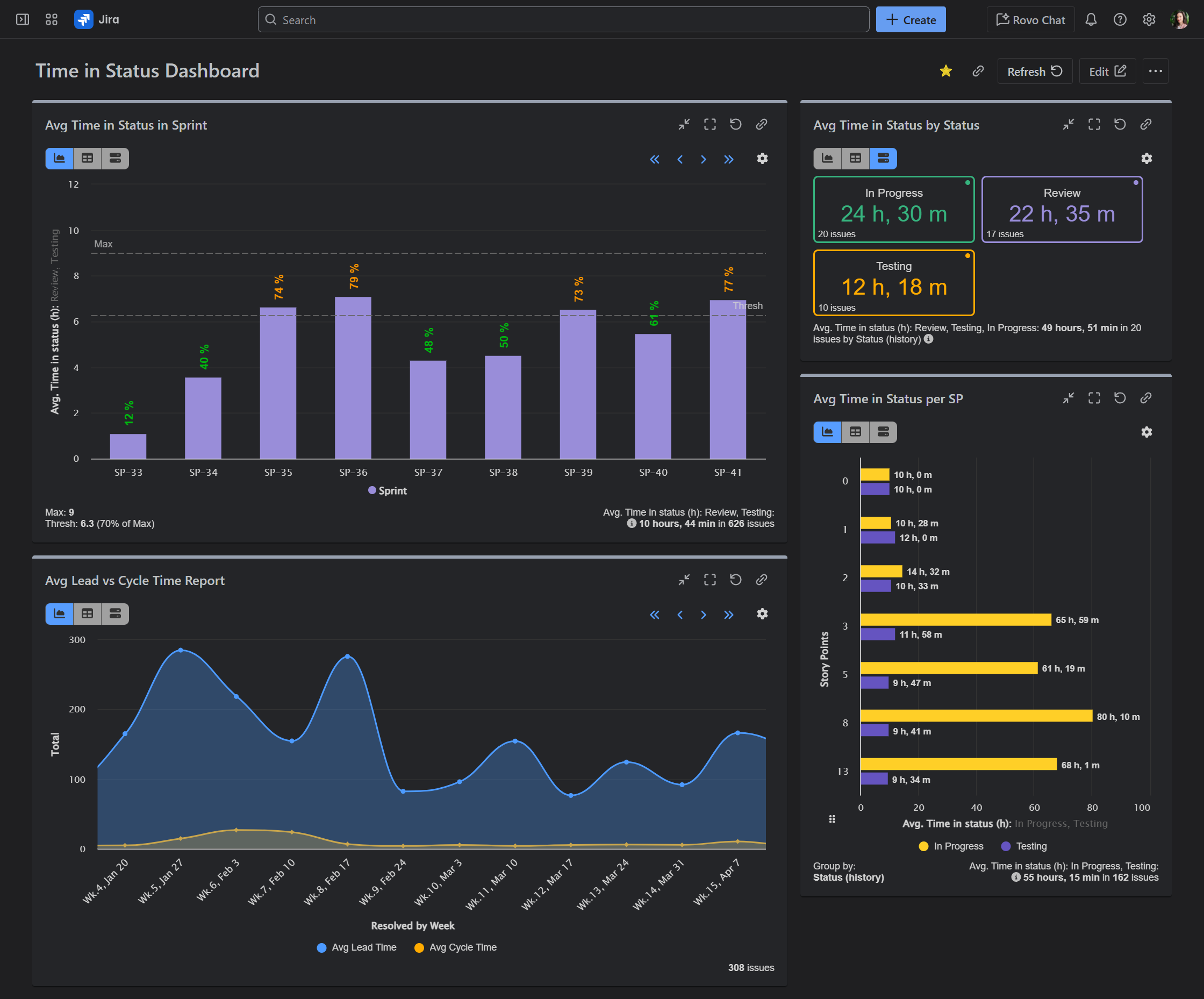
Jira Time In Status Reports With Performance Objectives App
How Time is Counted in Jira Control Chart
The counting of time in a Jira Control Chart is based on the cycle time of issues, which is the time it takes for an issue to move from one stage to another within the workflow. This could be from the moment an issue is reported to when it is resolved, or any other relevant stages in between. Jira calculates cycle time based on the timestamps associated with status changes of an issue. For instance, if an issue moves from ‘In Progress’ to ‘Done’, the time difference between these two status changes contributes to the cycle time. Understanding this mechanism is key to interpreting the Control Chart effectively.
Practical Applications of Time Counting in Jira
Practical applications of time counting in Jira are vast and can significantly impact a team’s productivity and efficiency. For example, by analyzing the cycle times plotted on the Control Chart, teams can identify stages in the workflow where issues are getting stuck or taking longer than usual to resolve. This insight can lead to process improvements, such as reassigning resources, streamlining stages, or even automating certain tasks. Moreover, the Control Chart can help in setting realistic expectations and benchmarks for issue resolution times, aiding in better project planning and customer communication.
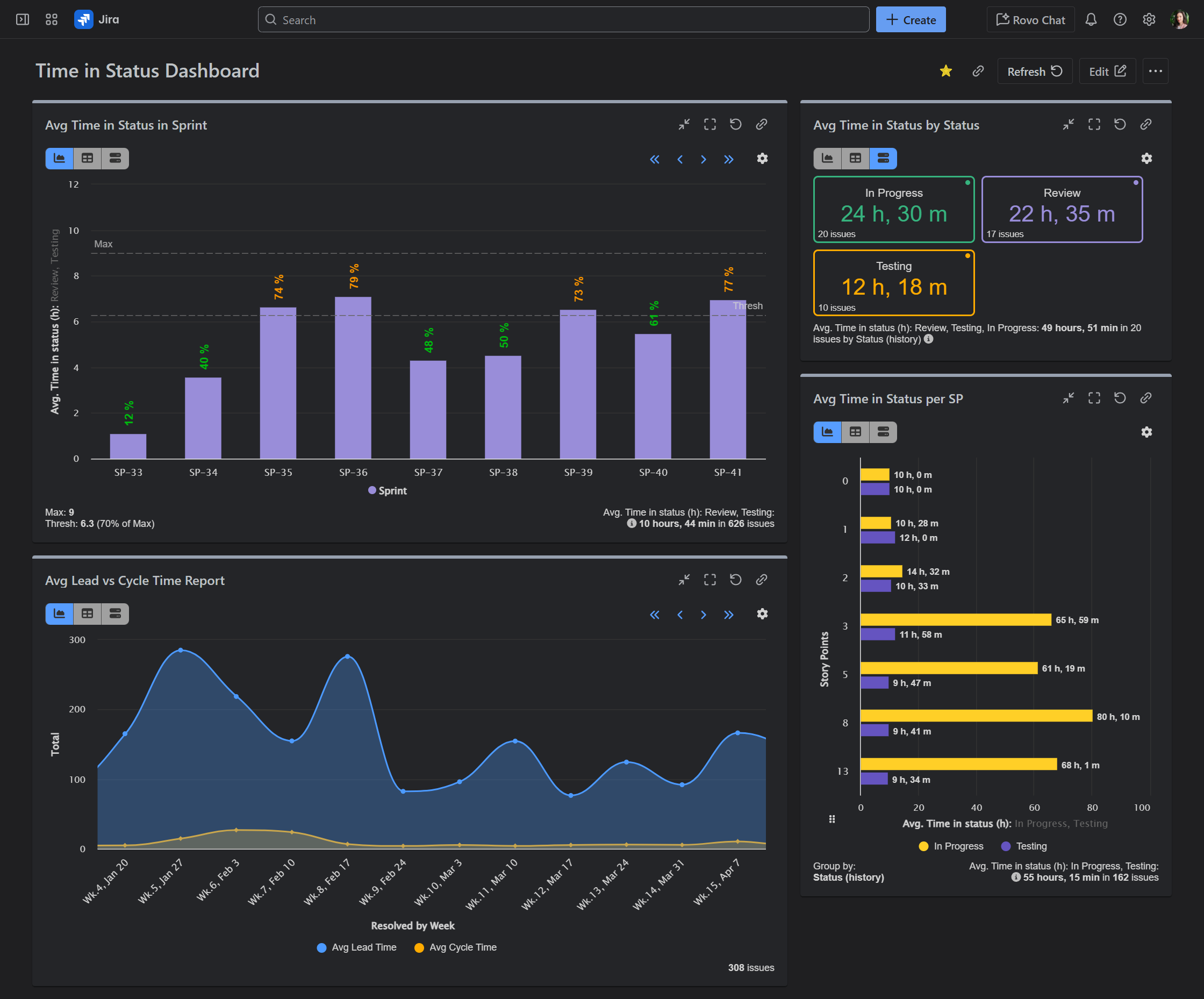
Jira Time In Status Reports With Performance Objectives App
In conclusion, mastering the Jira Control Chart and understanding how time is counted within it can be a powerful tool for any project management team. By leveraging this feature, teams can gain deeper insights into their workflow, identify areas for improvement, and implement changes that lead to faster cycle times and higher quality outputs. As with any tool, the key to maximizing its potential lies in understanding its mechanics and applying that knowledge in a practical, strategic manner.
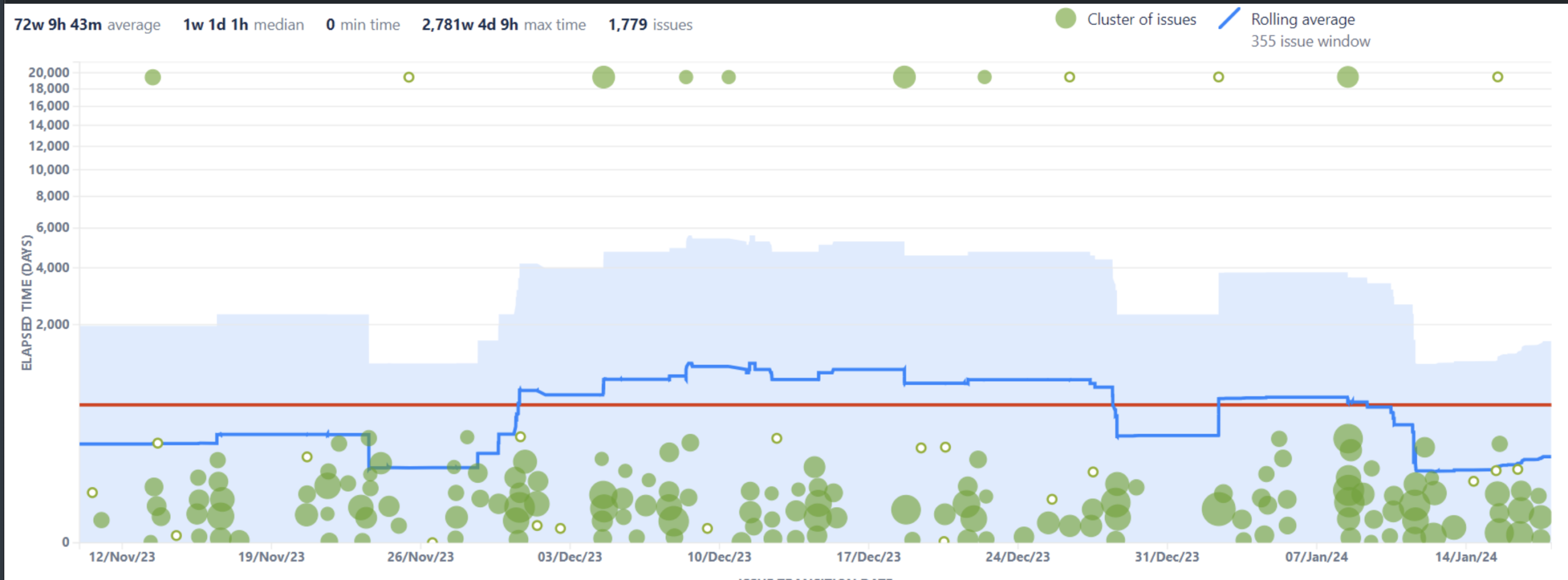
The Control Chart Inaccurately Calculates The Lead Time Jira And Jira Service Management Atlassian Support
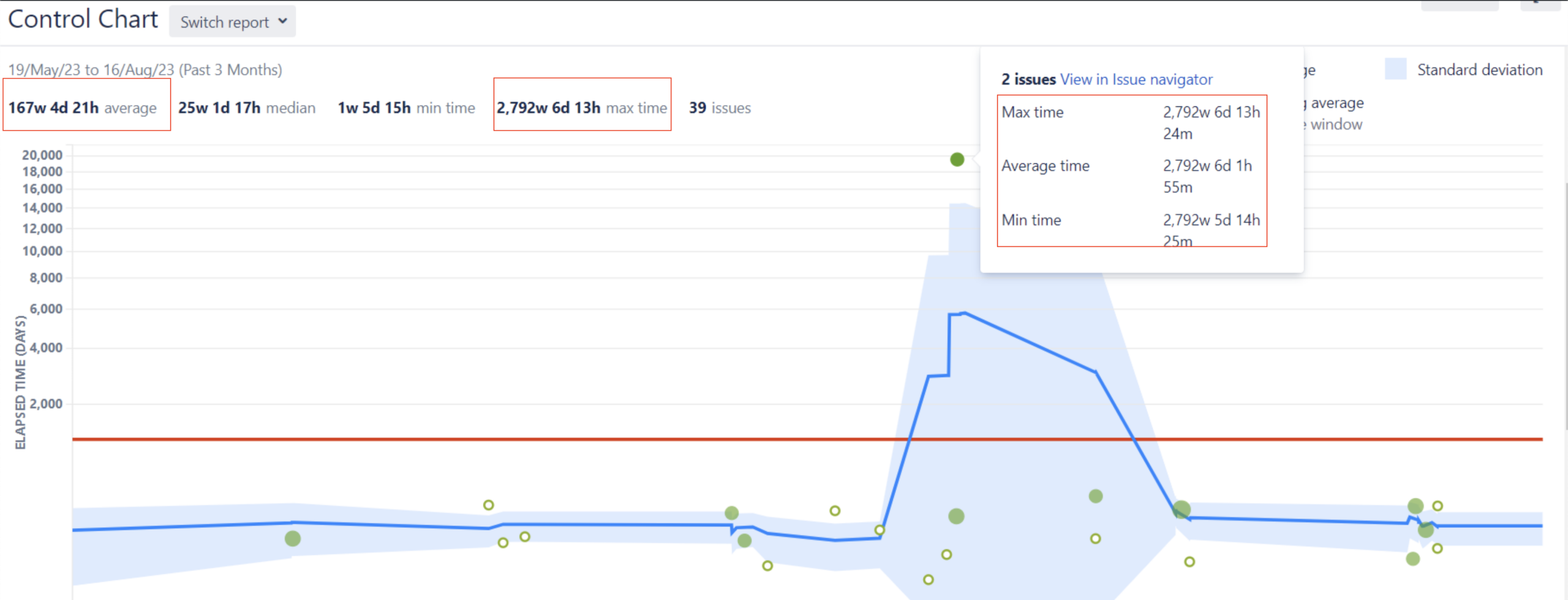
The Control Chart Inaccurately Calculates The Lead Time Jira And Jira Service Management Atlassian Support