Gantt charts have been a staple of project management for decades, providing a visual representation of tasks, timelines, and dependencies. However, as projects become increasingly complex, the need for more advanced features arises. One such feature is the ability to add time variables, which allows for greater flexibility and accuracy in planning. By incorporating time variables into a Gantt chart, project managers can better account for uncertainties and changes, ultimately leading to more successful project outcomes.
The traditional Gantt chart consists of a series of bars representing tasks, with start and end dates clearly defined. While this provides a clear overview of the project timeline, it lacks the nuance required for modern project management. The addition of time variables enables project managers to model different scenarios, account for risks, and make more informed decisions. This, in turn, leads to improved resource allocation, reduced delays, and enhanced overall project performance.
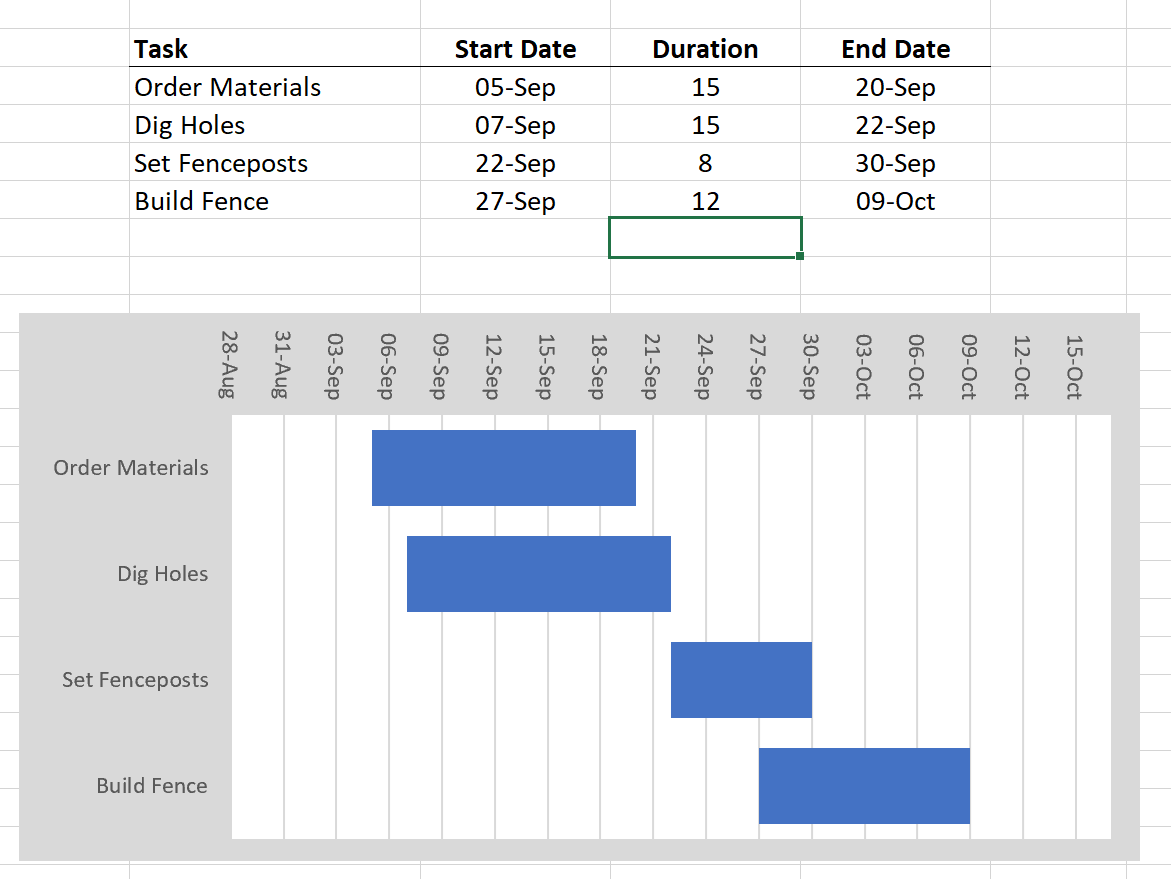
The Complete Guide To Gantt Charts
Understanding the Basics of Gantt Charts
To truly understand the benefits of adding time variables, it’s essential to grasp the basics of Gantt charts. A Gantt chart is a type of bar chart that illustrates a project schedule, with tasks listed on the vertical axis and time on the horizontal axis. The chart shows the start and end dates of each task, as well as the dependencies between them. By visualizing the project timeline in this way, project managers can quickly identify potential bottlenecks, overlaps, and other issues that may impact the project’s progress.
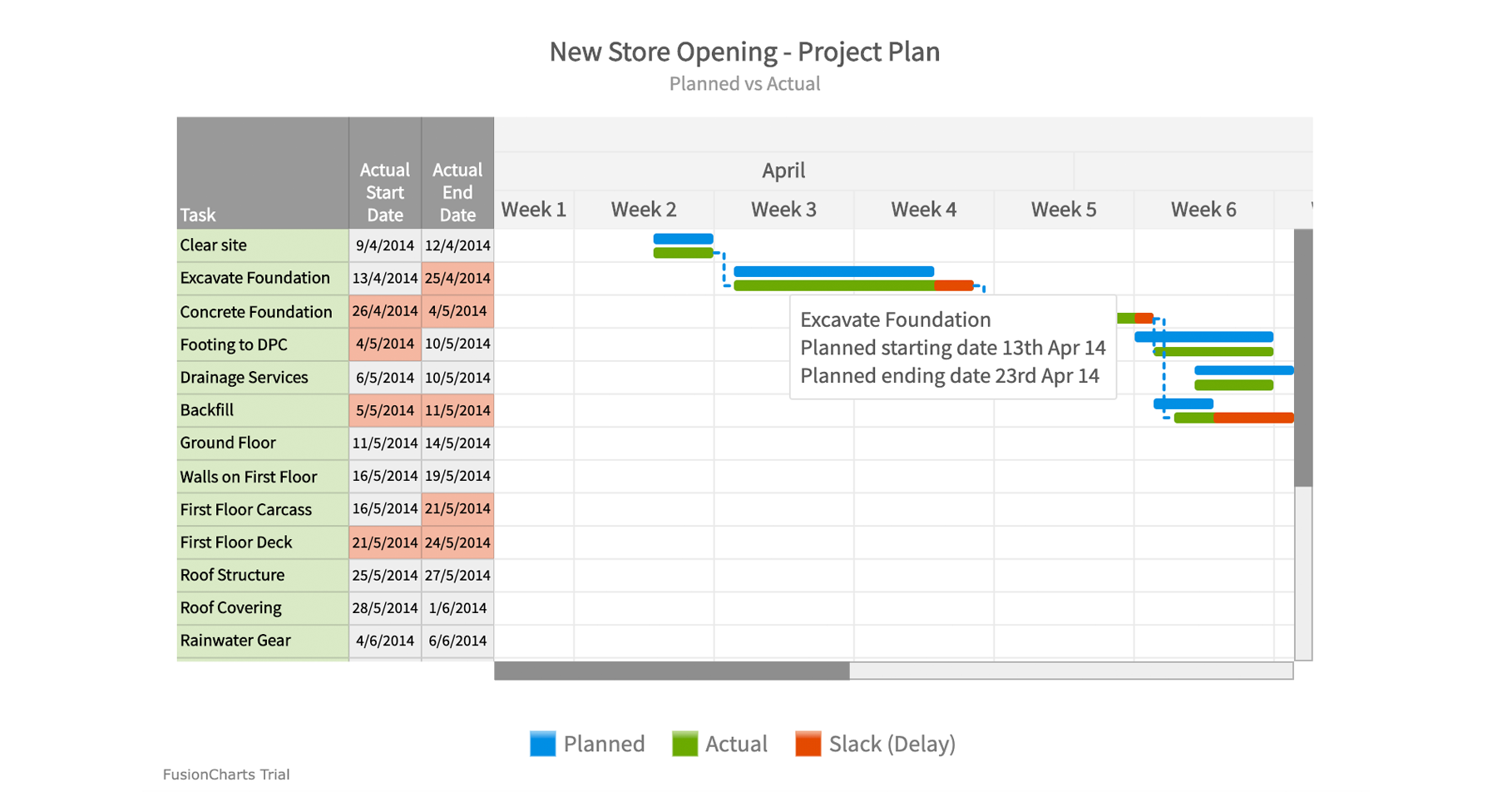
Gantt Chart FusionCharts
The Importance of Time Variables in Gantt Charts
The importance of time variables in Gantt charts cannot be overstated. By incorporating time variables, project managers can create a more realistic and dynamic project schedule. Time variables allow for the modeling of different scenarios, such as changes in task duration or resource availability. This enables project managers to anticipate and respond to potential issues, rather than simply reacting to them as they arise. Furthermore, time variables facilitate the creation of contingency plans, ensuring that the project stays on track even in the face of unexpected setbacks.
Step-by-Step Guide to Adding Time Variables
Adding time variables to a Gantt chart is a relatively straightforward process, although it does require some planning and preparation. The first step is to identify the tasks and dependencies that will be affected by the time variables. Next, the project manager must determine the specific time variables to be used, such as task duration, start and end dates, or resource allocation. With this information in hand, the project manager can then update the Gantt chart to reflect the time variables, using software tools or manual calculations as needed. By following these steps, project managers can create a more accurate and flexible project schedule, better equipped to handle the complexities of modern project management.
Gantt Chart FusionCharts
In conclusion, adding time variables to a Gantt chart is a powerful way to enhance project management capabilities. By understanding the basics of Gantt charts, recognizing the importance of time variables, and following a step-by-step guide to implementation, project managers can create more dynamic and realistic project schedules. This, in turn, leads to improved project outcomes, reduced risks, and increased success. Whether you’re a seasoned project manager or just starting out, mastering the art of adding time variables to a Gantt chart is an essential skill for achieving project management excellence.
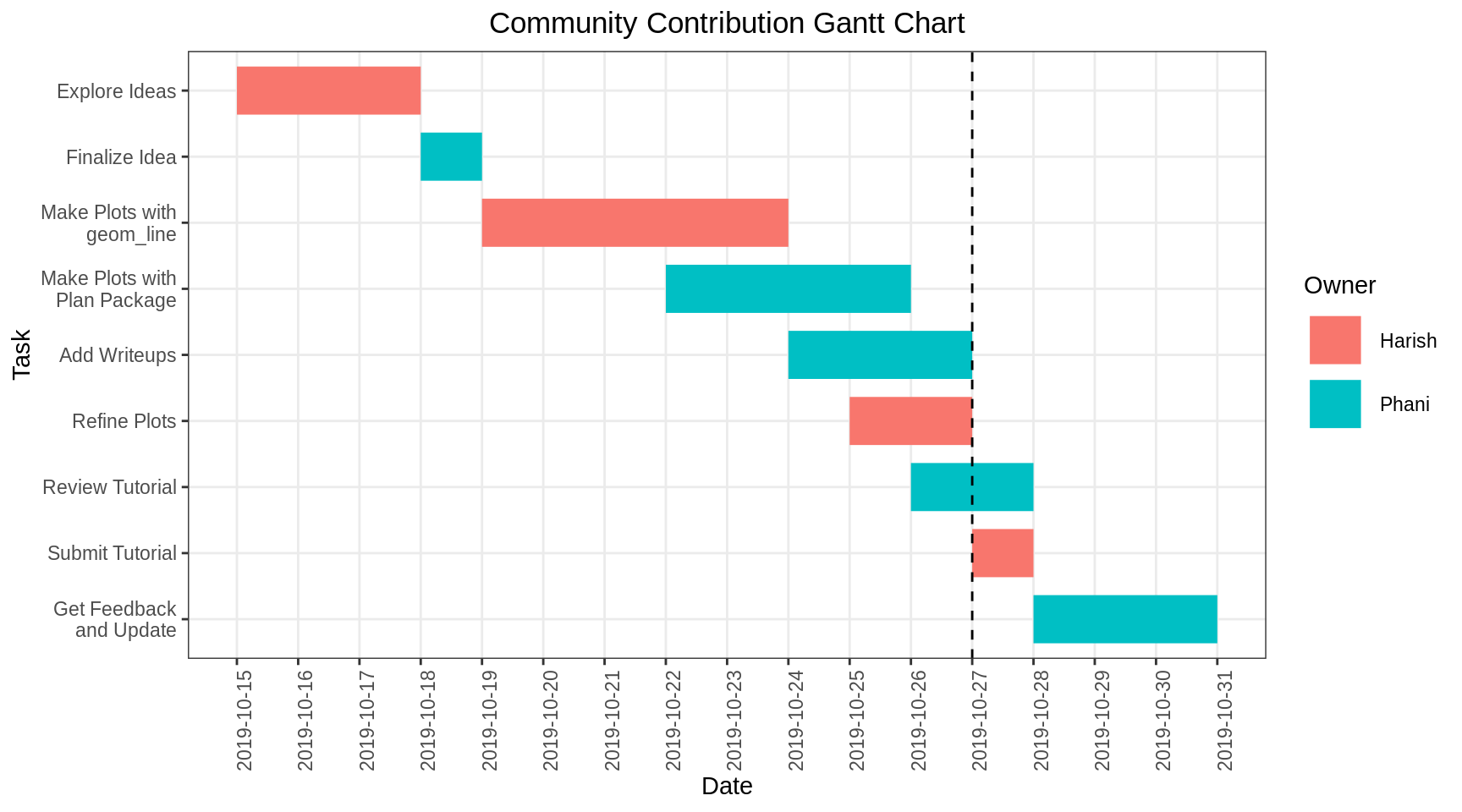
Chapter 12 Gantt Charts Community Contributions For EDAV Fall 2019
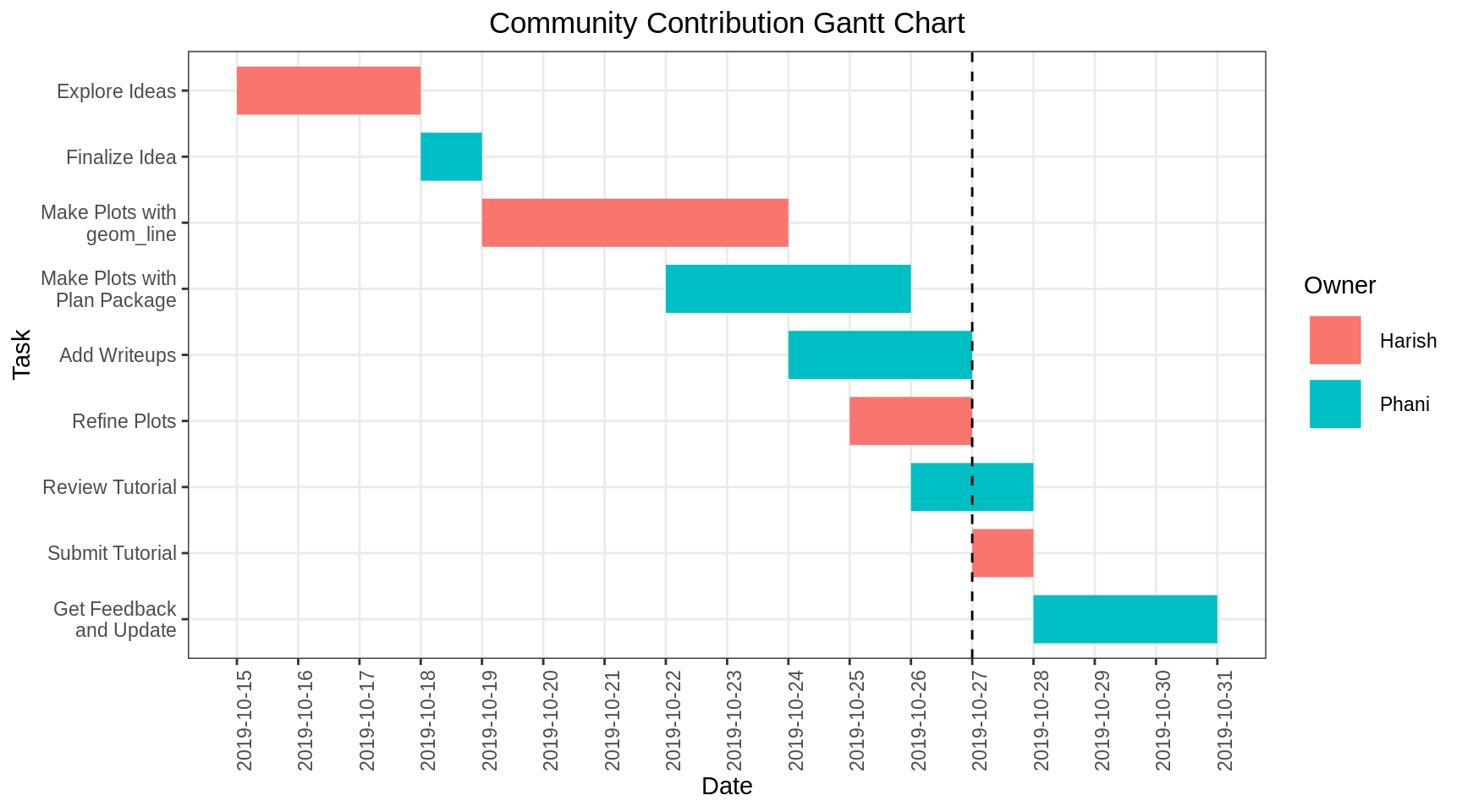
Chapter 12 Gantt Charts Community Contributions For EDAV Fall 2019